Code like you mean it.
Au is a declarative programming language I invented and spent a decade developing at Aucoda — the programming language for the next generation of developers. Write your program once, in Au, and it runs the full stack across every major language.
It was a complete product, not just a language. Five parts worked together: the Au Compiler, the Au IDE, Catalyst learning, the Au Interactive Tutorial, and a debugger that runs Au, in the browser, in Au. Graduates and undergraduates used them to ship complex software for the NHS, PwC, HM Revenue & Customs, the Metropolitan Police, and Marks & Spencer.
- 71%less code
- 40%less time
- 175M+lines generated
- 6 yrsof client projects
1 · The Language & Compiler
Au Compiler
A compiler usually targets an instruction set — x86, ARM, byte code. Au is different: it uses every other language as its instruction set. The language is not fixed — Au is a broker, brokering for the right instructions at compile time.
Underneath, Au is built from three parts:
- The Model — Au's instruction set, deliberately curated to minimise abstraction so novice developers learn faster.
- The Au Compiler — compiles your Au program into Model Object Code (MOC).
- The Implementations — take MOC and write expert code: the Swift implementation writes expert Swift, the Python implementation expert Python, and so on.
This is Automatic Coding done right — not low-code or no-code, but a fully capable declarative language that lets you focus on the algorithm. The same Au source runs the full stack, in every major language:
- C++
- Rust
- Swift
- Java
- JavaScript
- Kotlin
- C#
- Go
- Python
- PHP
- HTML / CSS
- Node.js
- SQL Server
- MySQL
- Oracle
- MongoDB
- SQLite
- CouchDB
- React
- Angular
- Flutter
Extending Au. Two clean extension points: extend the language by extending the Model, and extend the output by adding an Implementation. Implementations are authored in the companion language Autron (Automatic Transformation) — how you teach Au a new target language (typically in about two weeks) or enforce your company's own rules and coding standards. Futureproof by design: new implementations are added, so you don't have to keep up.
Local & Lambda. The compiler shipped in two forms. The local version runs on your own machine, integrated into your source control and build process — Side by Side development, used every day in delivery. The Lambda version runs the Au compiler as an AWS Lambda function, so you can compile from anywhere with no infrastructure to manage.
2 · Automic, the browser IDE
Au IDE
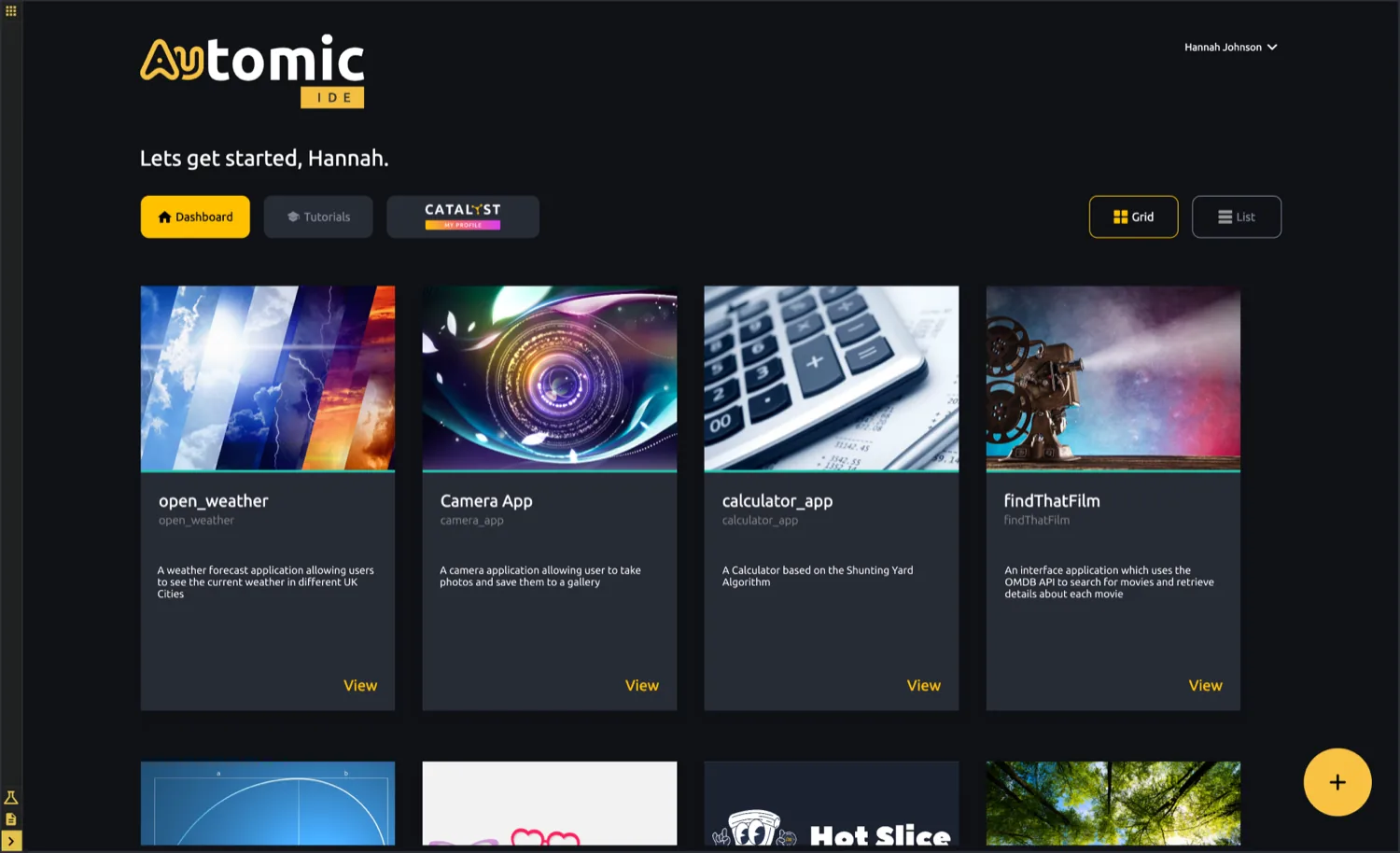
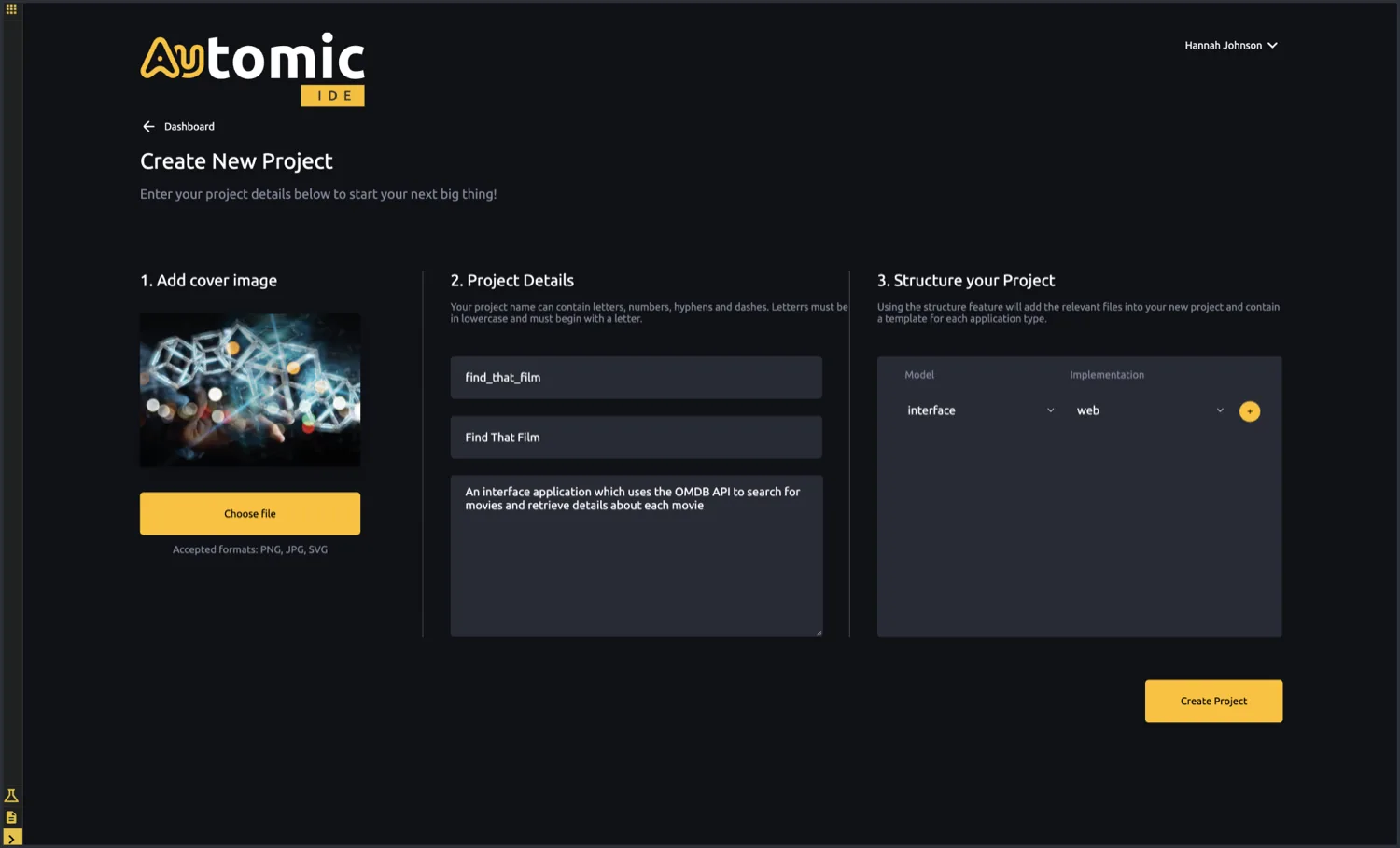
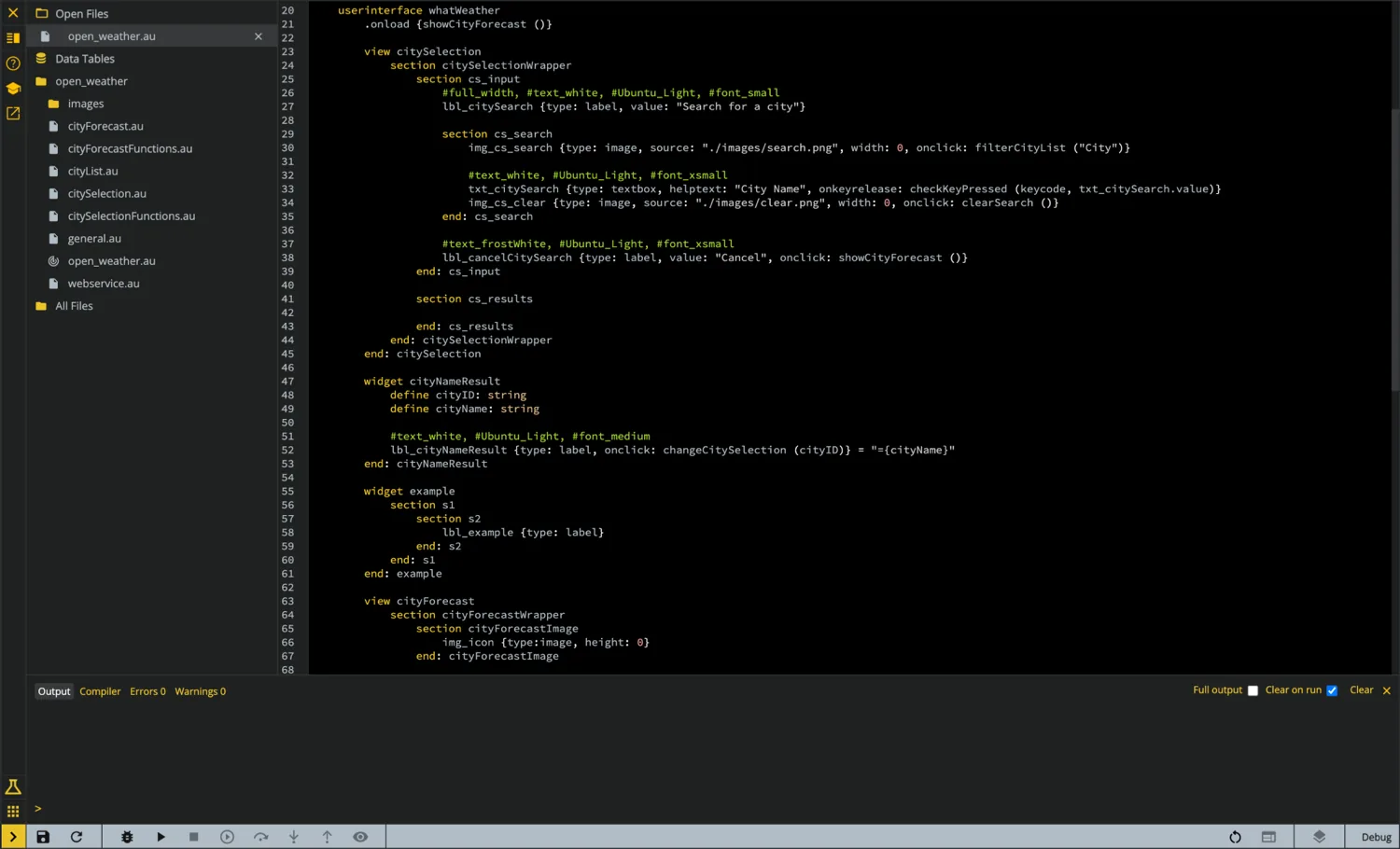
The Automic IDE runs entirely in the browser — no installation, no setup. Projects live as cards on a dashboard; creating one is a guided flow that scaffolds the right files for the application type you pick. Inside, a full editor gives you file navigation, an integrated console, live compiler output, and Git integration for source control.
3 · The Au Academy
Catalyst — Learning for Au Developers
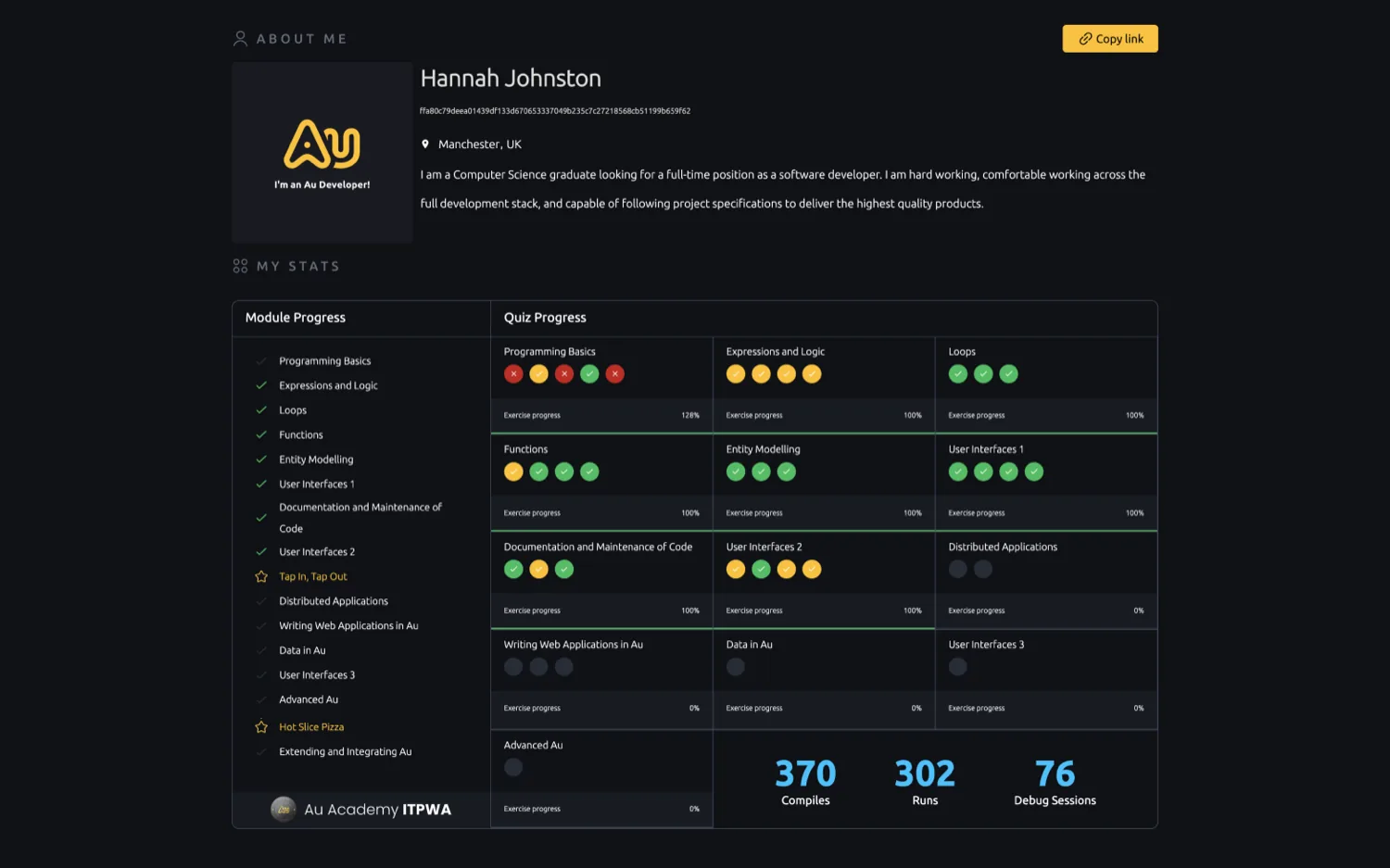
Catalyst is where developers learn Au and build a job-worthy profile. It tracks module and quiz progress and real coding stats — compiles, runs, and debug sessions — and showcases the projects a developer has built. A built-in job portal connects developers who have the skills with the people who need them.
“I thought they were kidding when they said you could learn to code in Au in two weeks. They weren't.”
4 · Learn by doing
Au Interactive Tutorial
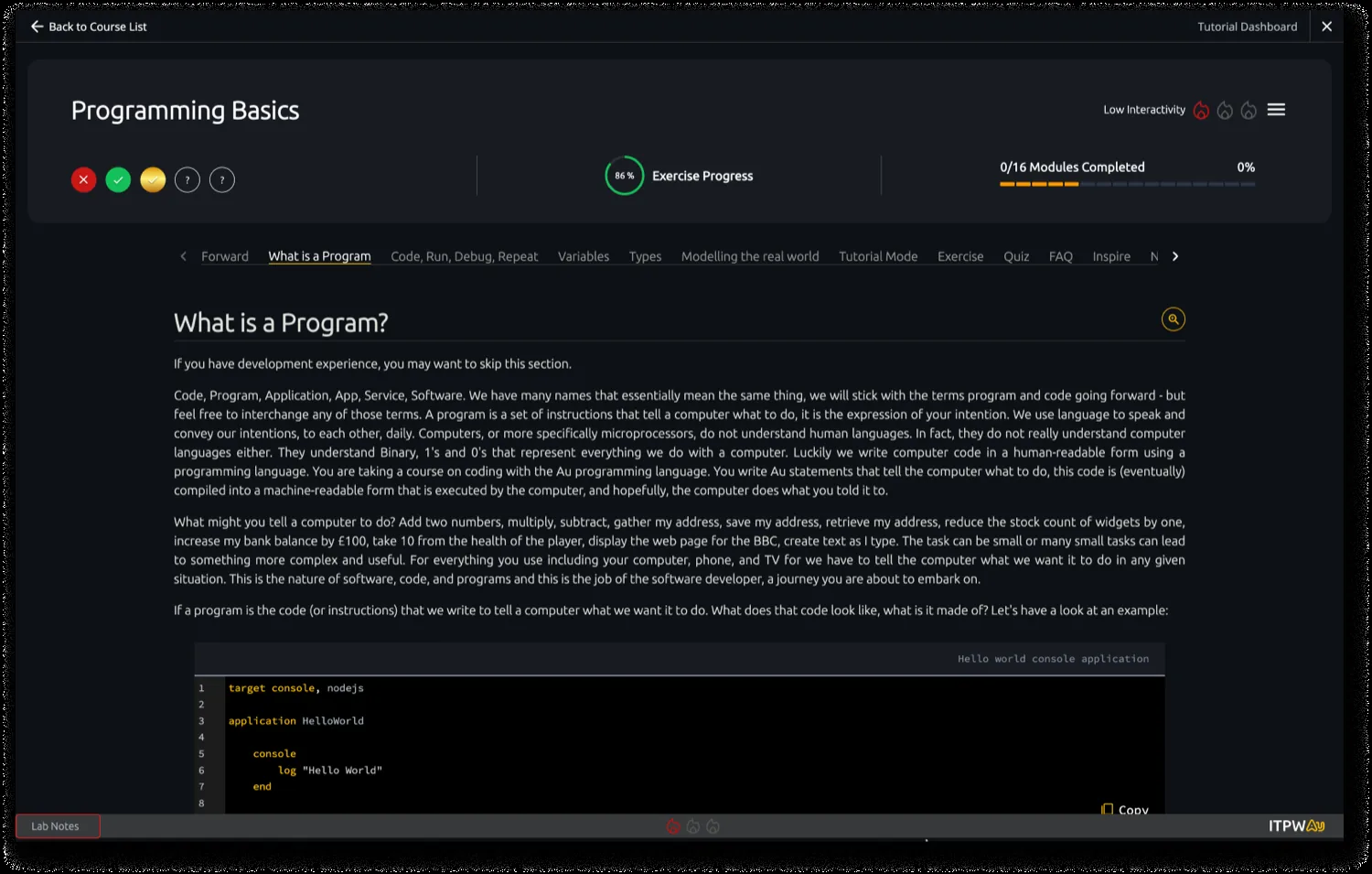
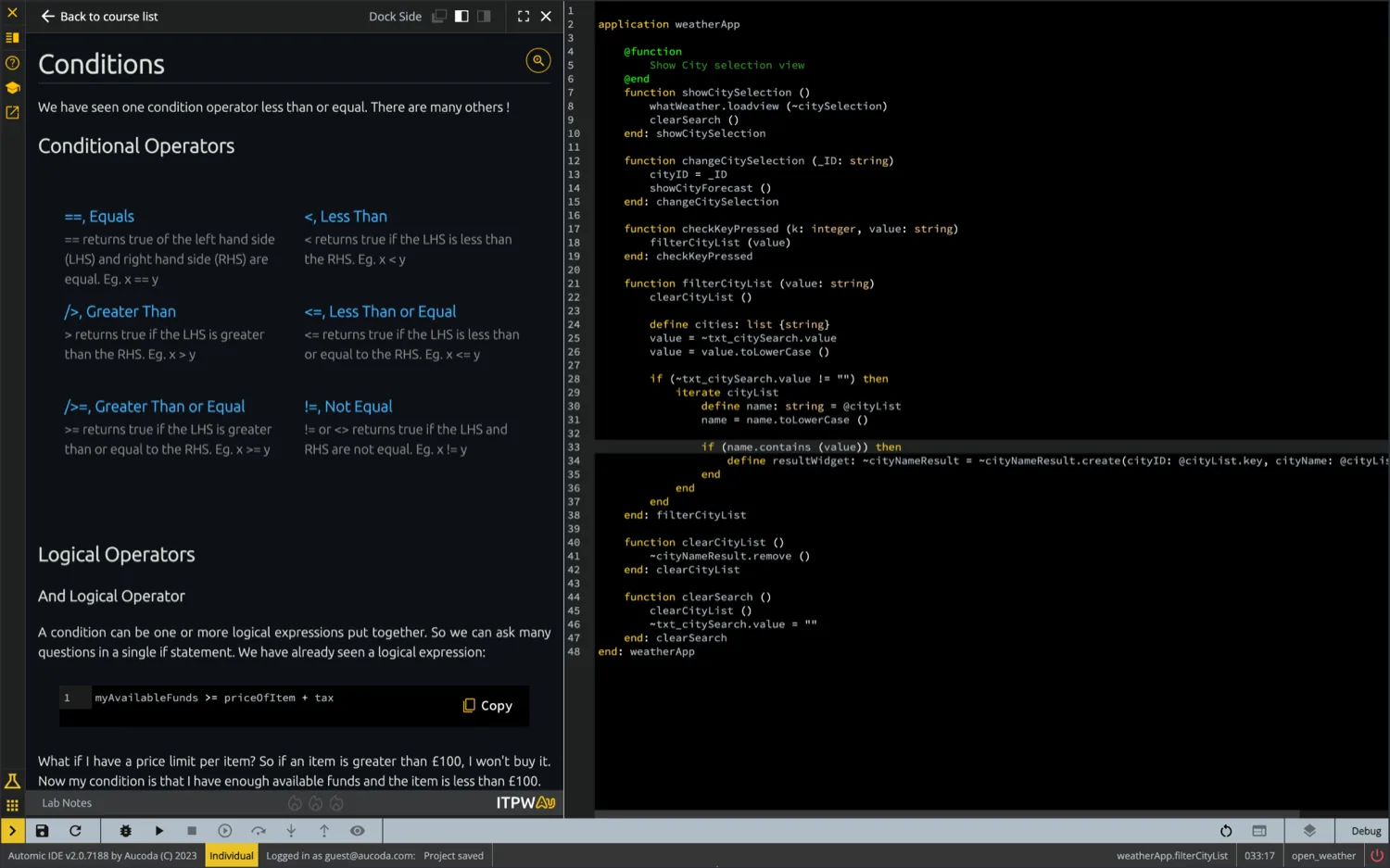
The Introduction to Programming with Au course is fully interactive: 100,000+ words across 18 modules, with 50+ quizzes (over 1,000 questions), 100+ exercises and skill builders. You read the lesson and run real Au code side by side on the same screen — no swapping windows or pausing videos — and you can edit and debug that code right there in the tutorial. No prior programming knowledge required.
5 · Native Debugging
Au Debug in the Browser, in Au
Au debugs Au — natively, in the language you wrote, right in the browser. Set breakpoints, step through execution, and watch your variables while a live preview of the application runs alongside the code. Here a weather app renders on a simulated phone as the Au code drives it. The numbered points below match the markers on the screenshot.
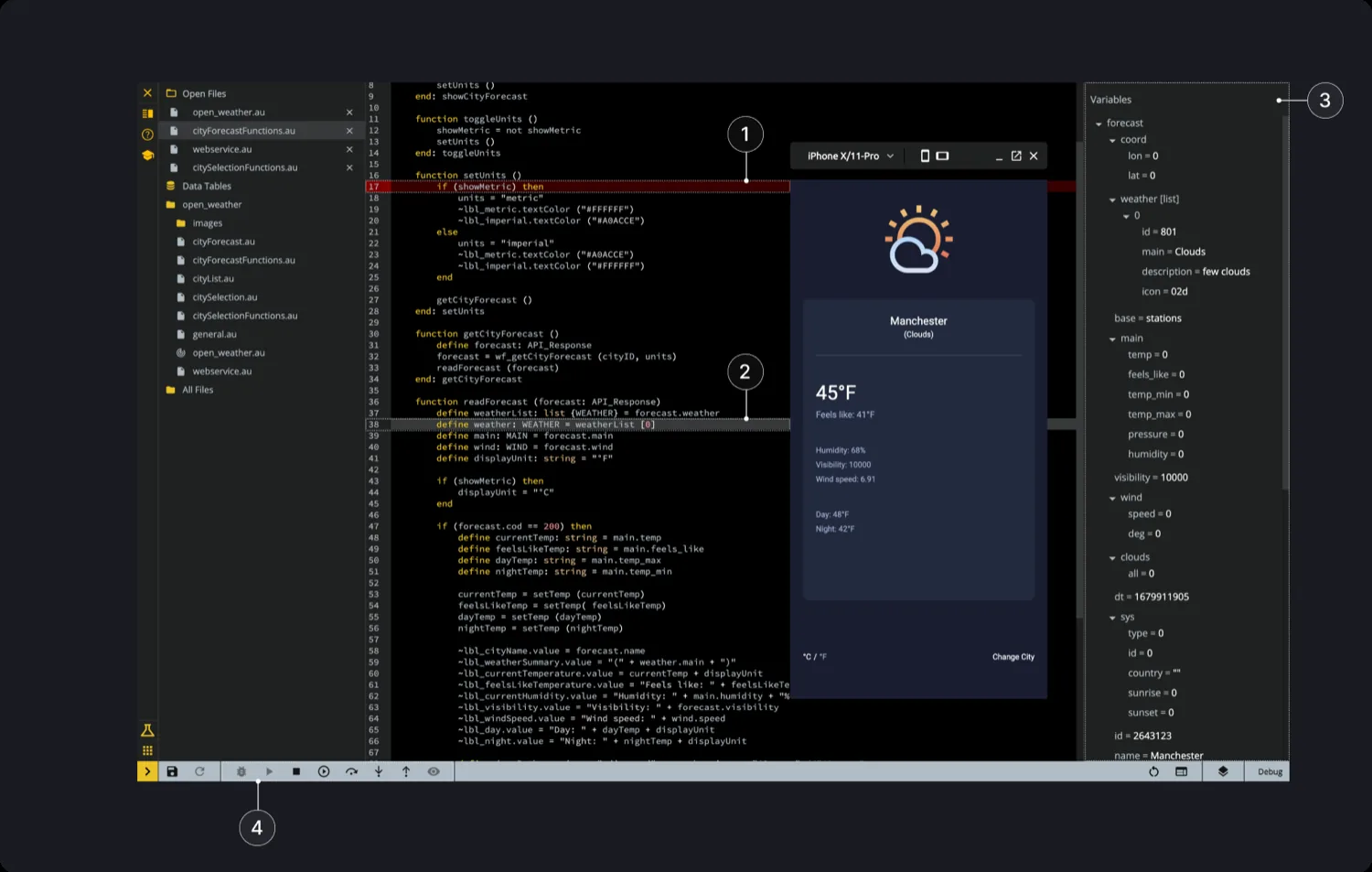
- Breakpoint. When a breakpoint is reached, the application stops so you can step through the code. Add or remove one by double-clicking the line number in the gutter.
- Current Position. Highlights exactly where you are in the code while debugging.
- Debug Variables. Variables populate in the side panel as you step through the code in debug mode.
- Debug Controls. Toolbar buttons to drive execution: Debug (run in debug mode), Continue (run to the next breakpoint), Step Over (the current line), Step Into (a function), and Step Out Of (a function).
Au was never really about the language. It was about thinking differently — changing how teams approach recruitment, development, and training: empower youth, specialise your outputs, and hire developers at any time with the right skills for the job. That same instinct — take a hard computer-science idea and make it usable in production — is exactly what I bring to secure agent systems today at Nearfield.ai.
See how Au fits the wider toolset on the Expertise page, or get in touch.